| |||||||||||||||||||||||||||||||||||||||||
 |
 |
Play |
 |
 |
 |
 |
|||||||||||||||||||||||||||||||||||
 |
|||||||||||||||||||||||||||||||||||||||||
|
Introduction 
Welcome to Zatikon! Like many turn based strategy games, it is difficult for a player to jump right in and be able to compete. As such it is a very frustrating experience to constantly be surprised by an opponent's moves simply because you did not understand the nuances of a certain piece. This guide is intended to help you spend less time trying to learn basic gameplay mechanics the hard way, and instead allow you more time to strategize. Code of Conduct - In Zatikon everyone plays to have fun and as such it is expected that you keep it friendly at all times, insults and the like are frowned upon by the community in general, but friendly banter is common; we are friendly, not strict. If you find a way to cheat please report it as soon as possible, it is considered VERY rude to cheat in Zatikon and doing so you will more often than not leave you with no one to play with. Inviting people is a good way to find someone to play with, however due to the way the chat windows are programmed simply pressing enter while chatting with someone else will cause you to accept an invite. Intentionally sending an invite during chat to trick someone into accepting a game is referred to as 'Dragging'. When dragged, the match the player left ends, since it is now in effect missing a player. To avoid dragging wait until players are not currently in a match or ask them permission to send an invite beforehand. It can be quite frustrating if you are in a coop and are 2 moves away from victory then you get 'dragged' out and into another type of match. Getting Started Zatikon is played on an 11x11 board, with a castle occupying 1 tile on each side of the board. The object of the game is to take one of your pieces and move it onto the opponent's castle. To do so a player is given 1000 points to construct an army, each unit has a specific point value; better units receive a higher point value. 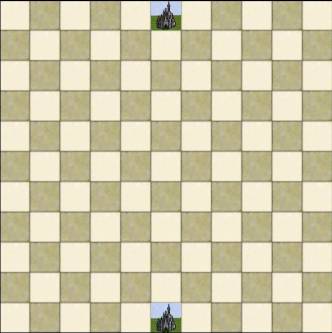
The Main Menu 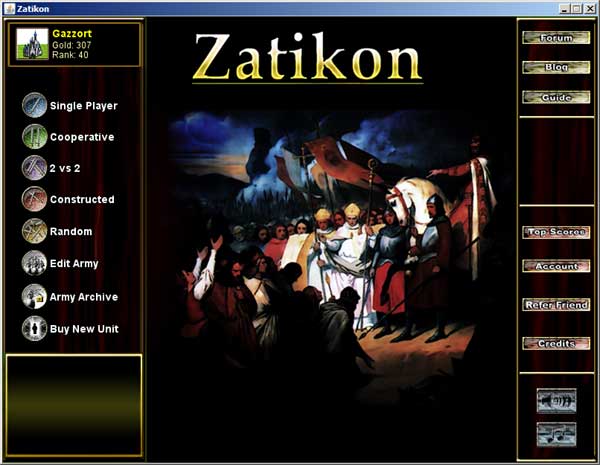
The Main Menu is quite simple. In the bottom right you have the credits button. It shows you the credits. Above the credits button is the refer friend button, this options allows you refer a friend via email. If that friend upgrades his/her Zatikon account you get 5k gold to spend on more units. Above the refer friend button is the account button, it allows you to change your password and is also the place where you write the key code to upgrade your account when you get an expansion. Upgrading allows you to use more units and you get 10k as a thank you present from Chronic Logic for upgrading, this happens every time you upgrade. Underneath the credits button are the sound and music buttons, it should be pretty obvious what these do, 1 click and no SFX or no music, this can only be used on the main menu and disables. Single Player Cooperative 2 vs 2 Constructed Random Edit Army Army Archive Buy New Unit Current Rank and Gold Player List 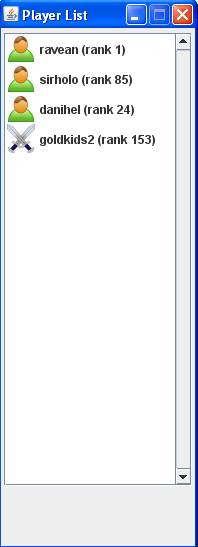
The player list shows who is currently online. The 2 crossed swords indicate the player is currently in a game, the little character with a green shirt indicates the player is available for play. Player Chat Using the player chat, a player can talk to other players, or use the invite function to invite players to participate in a cooperative game, or to play a non-ranked random or constructed game. 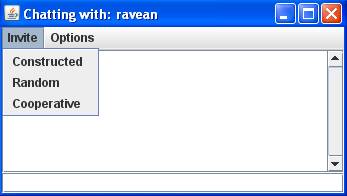
A player can also mute or un-mute players using the options tab. 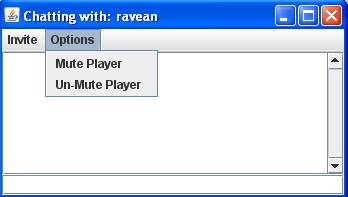
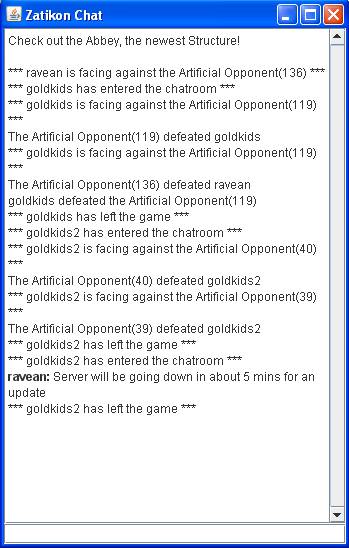
Zatikon Chat | ||